Nesting Engine
Release notes
Release notes
v0.4.0 Nesting Engine
Added: Nesting output generation for MJF/SLS batches
Added: Batch nesting panel with immediate start or schedule functionality
Added: Cloud execution of the nesting pipeline
Added: Background status tracking and in-app feedback
Improved: Resource and process linking logic
Fix: Machine unavailability logic based on batch dates
Automated Nesting for MJF & SLS Processes
From batch to nested 3MF, powered by Fabrex Pipelines
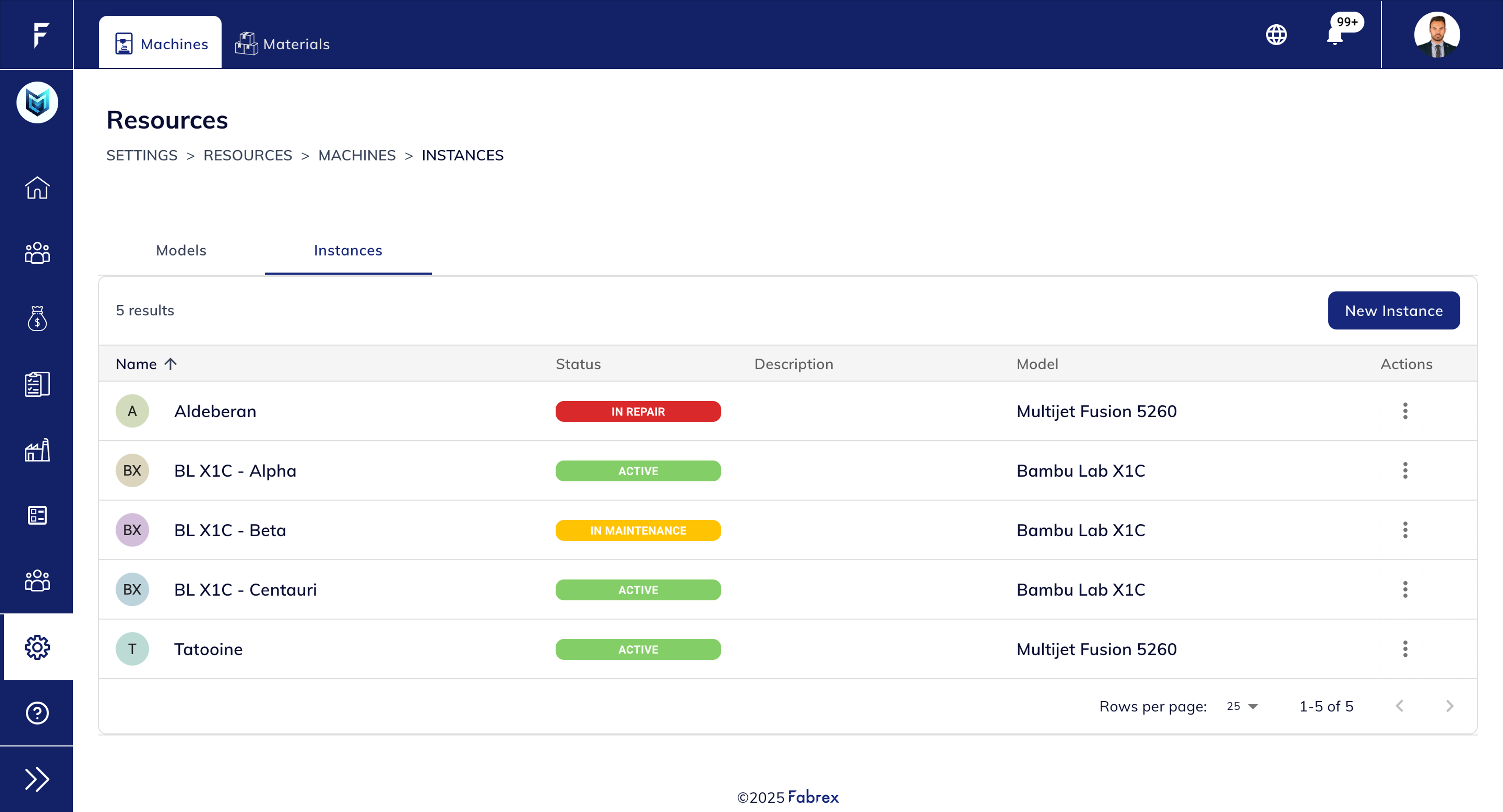
1. Create a Manufacturing Resource
Go to the Resources section inside settings and create a machine of type Additive Manufacturing (MJF or SLS).
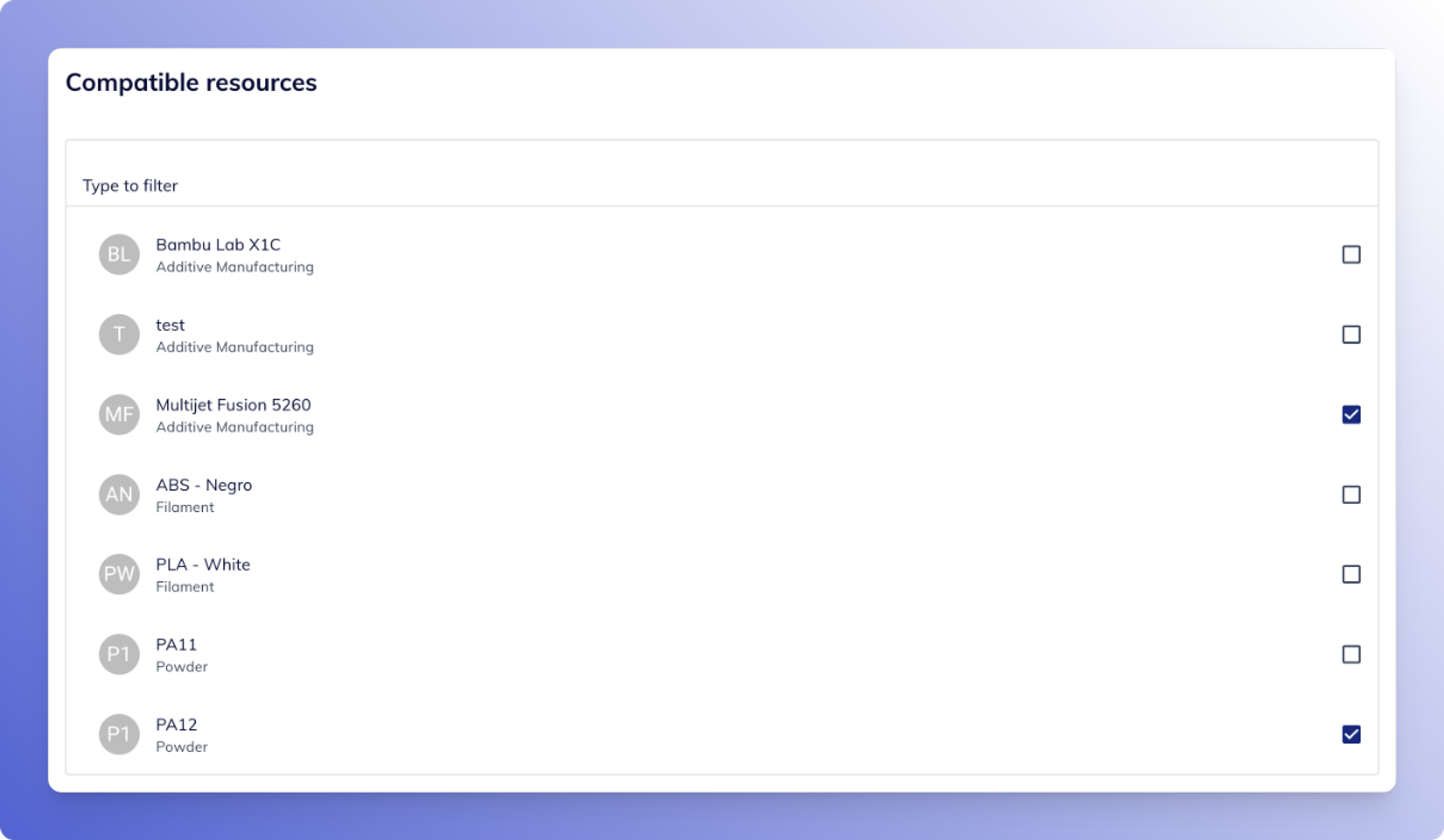
2. Assign Resource to a Process
Link the machine and material to a process, such as MJF PA12, so it’s available when creating a batch.
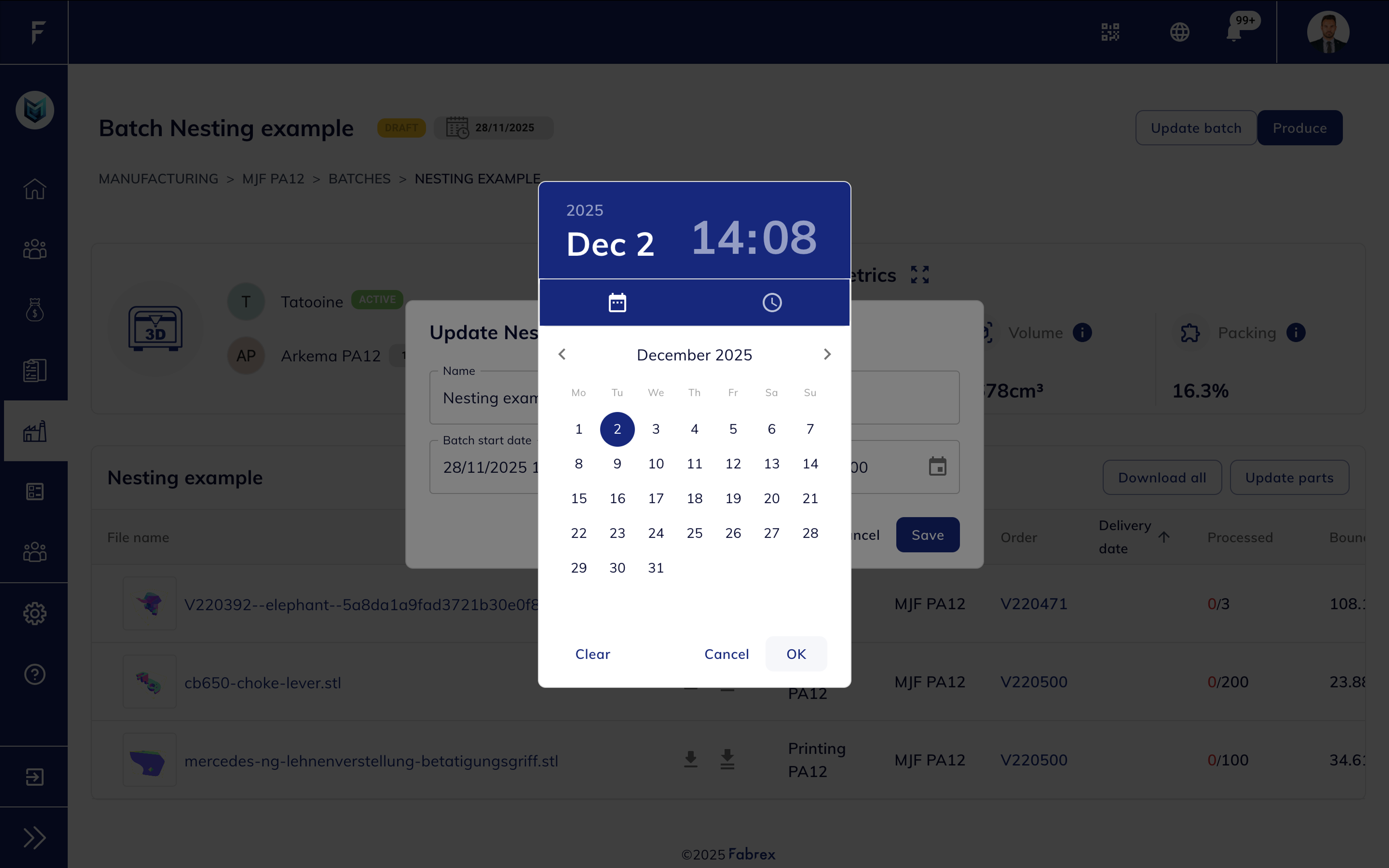
3. Create a Batch under that process
Under Manufacturing > Batches, create a new batch and assign the process.
Set both a Start Date and End Date — this is required to assign resources.
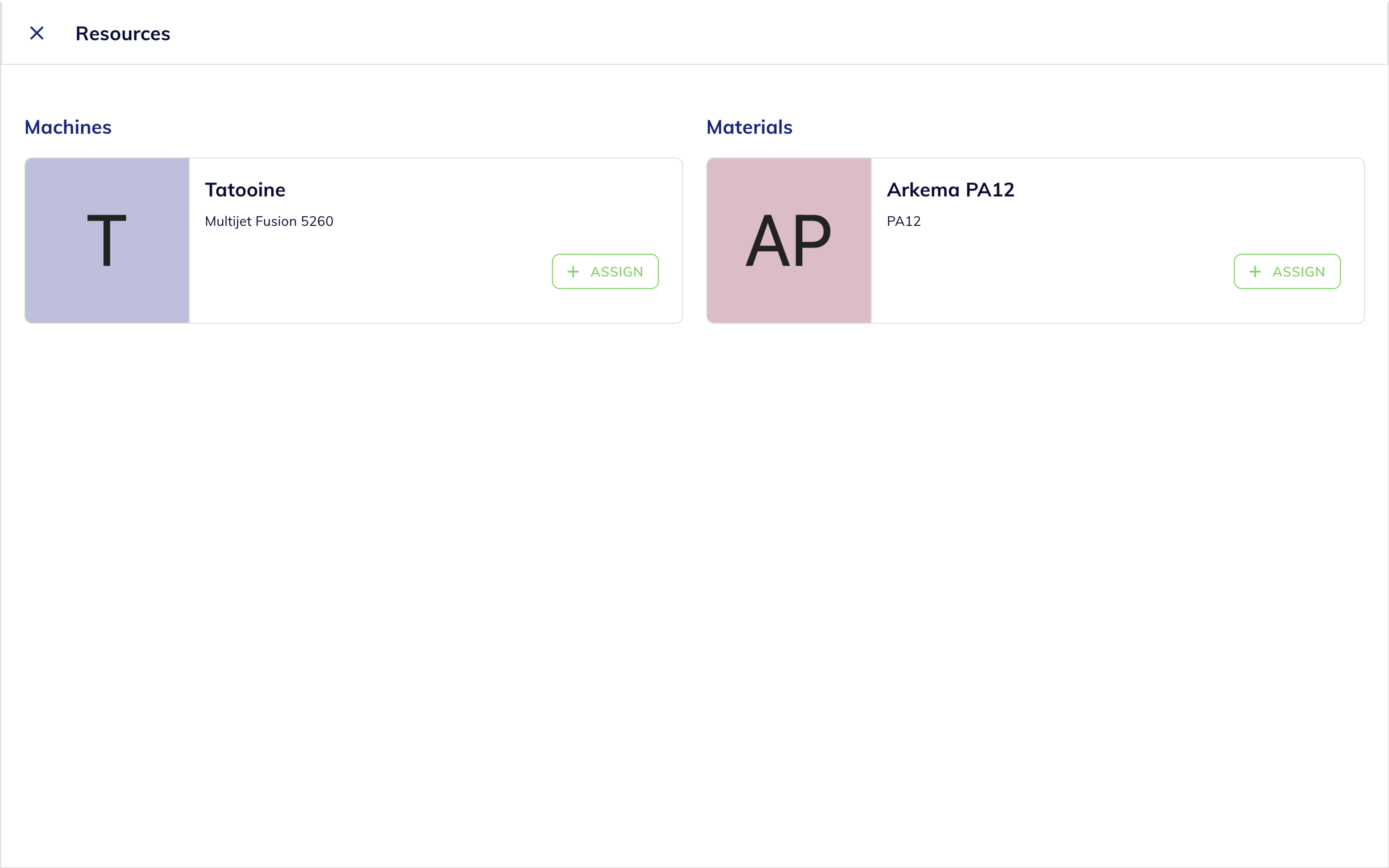
4. Assign Resources to the Batch
Once the batch has valid dates, assign the machine and material created earlier. Only available and unbooked machines will show up.
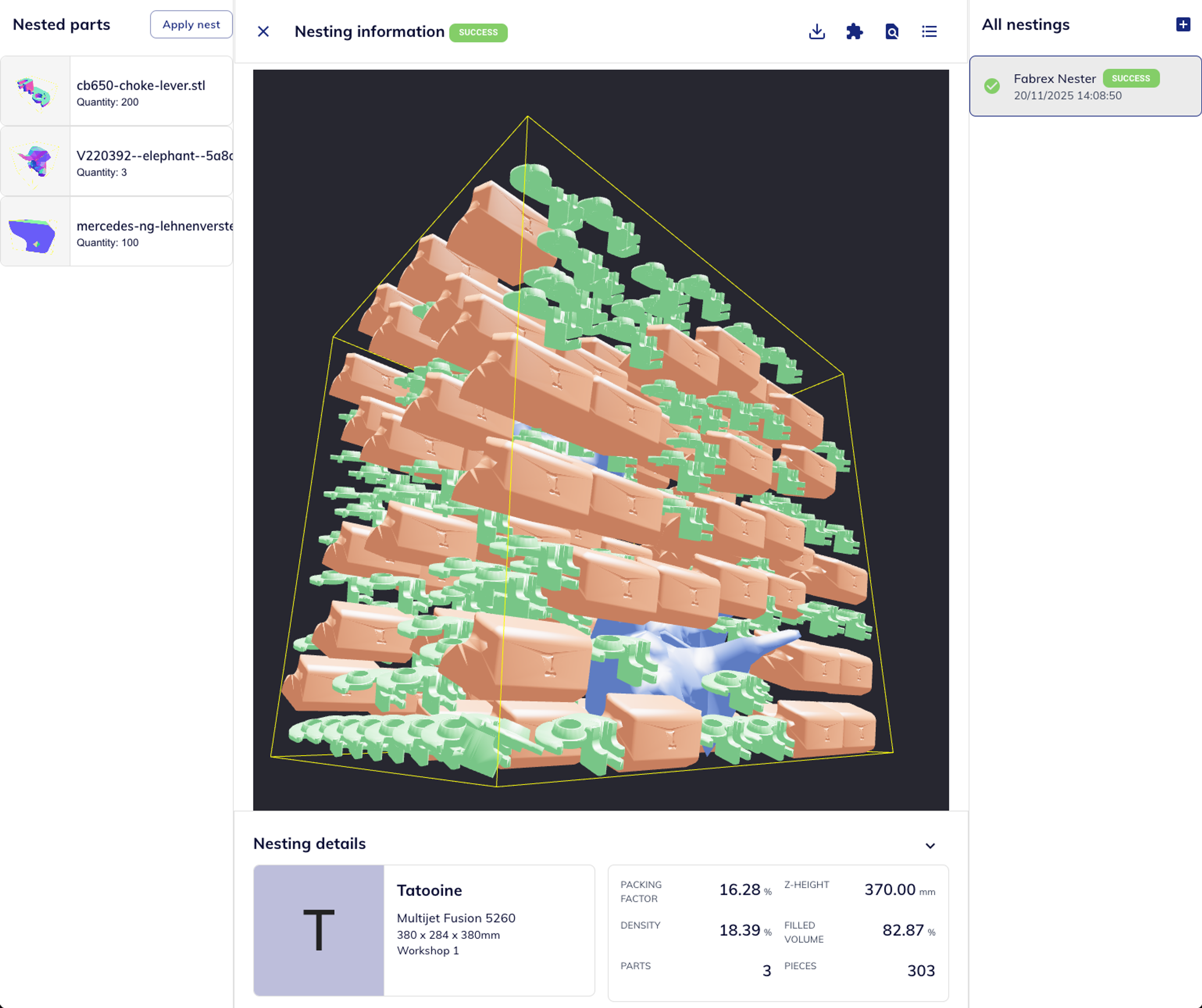
5. Open Nesting Panel & Start Nesting
Click the expand icon to open the Nesting tab for the batch.
From here, you can:
- Prepares a nesting with your parameters
- Start nesting (initiates the cloud-based nesting process)
- View nesting metrics: quantity, volume, and packing factor are shown as soon as results are available.
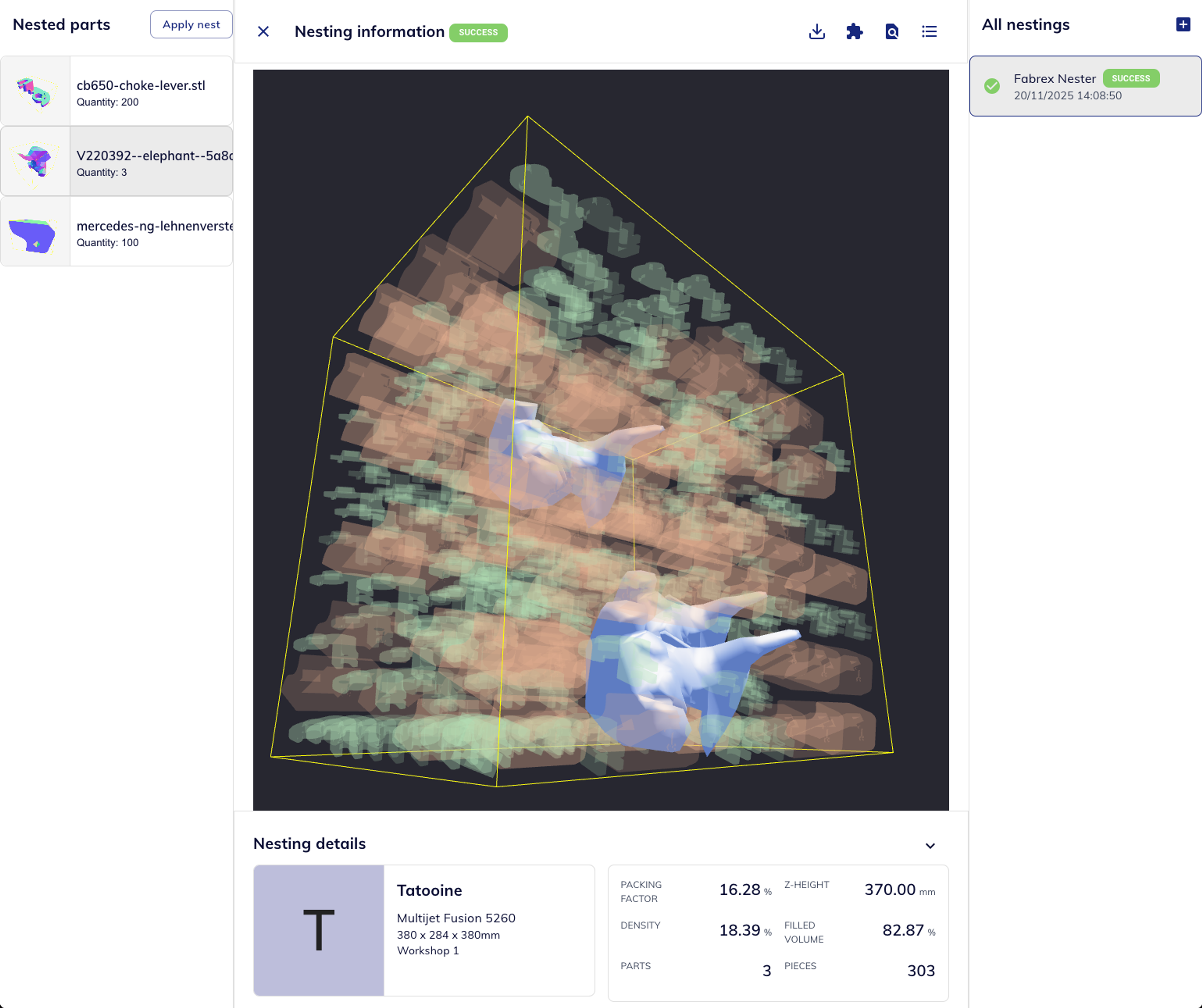
6. Preview & Interact with Nesting Output
Once completed, the nesting is shown in 3D with full detail:
- Each part type is rendered in a different color to help identify part distribution
- Toggle nesting layers, zoom, rotate, and view part quantities
- Metrics like packing factor, Z-height, and volume are shown below
Why It Matters

Efficiency
- Supplier Perspective: Automates STL nesting from batch assignments
- Operator Perspective: Save manual nesting time for production

Intelligence
- Supplier Perspective: Future-ready for process-conditional logic
- Operator Perspective: Configure machines and processes once

Flexibility
- Supplier Perspective: Async, scalable cloud-based pipeline
- Operator Perspective: Background execution + visibility tools