Built-in checkout.
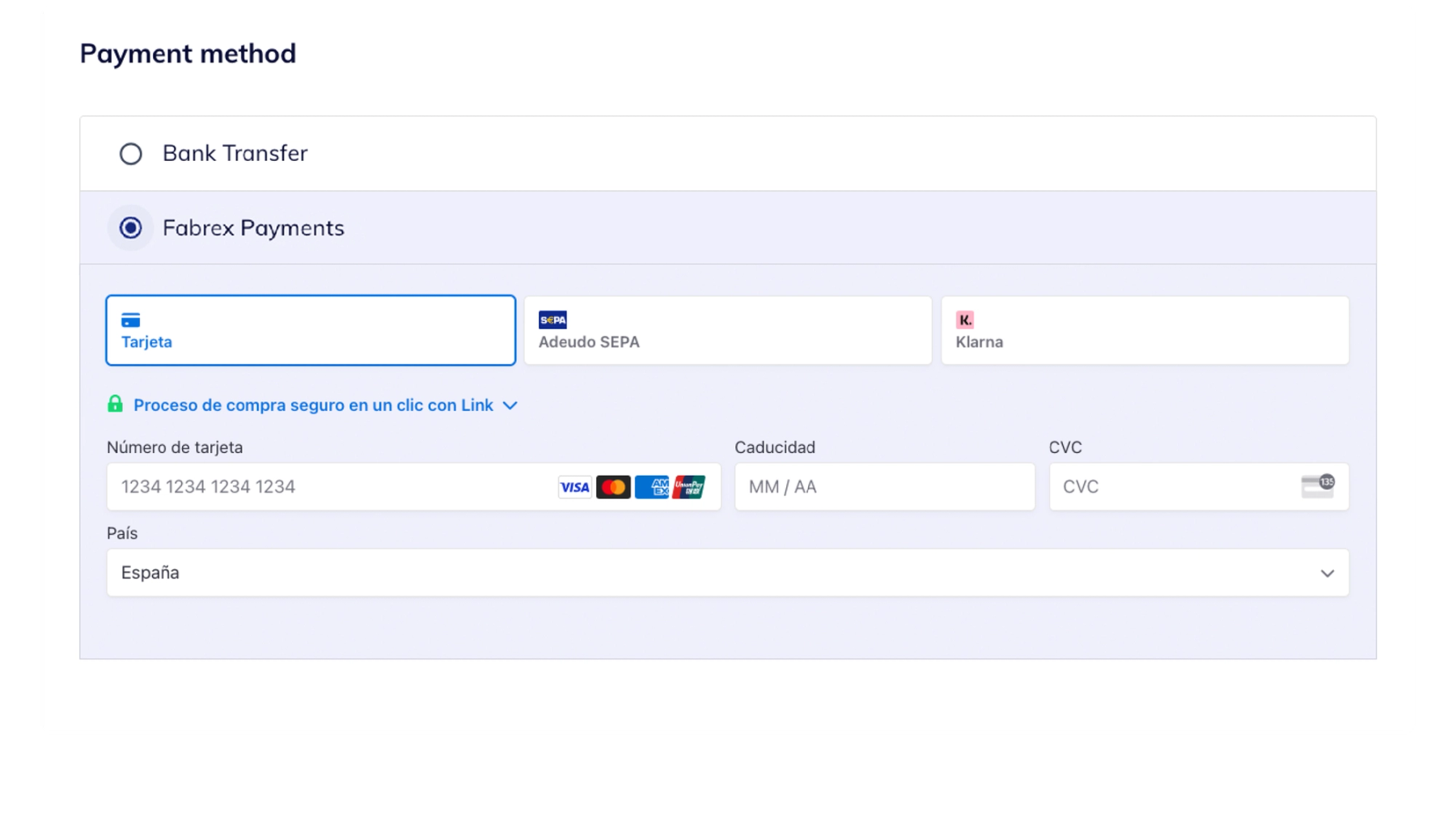
Let customers move from an accepted quote to an order with integrated checkout. Fabrex’s published payment options include cards, SEPA, and Klarna.
 View screenshot
  Book a demo
 From an accepted quote to a paid order. Connect checkout, invoicing, and payment tracking with the work your factory makes.
Discuss payments
Cards, bank payments and digital wallets through Stripe.















 By invitation
Available methods depend on your country, currency and account setup.
Payment is part of the manufacturing journey. Give your team a clearer view of the customer, the invoice, and the next handoff.
Let customers move from an accepted quote to an order with integrated checkout. Fabrex’s published payment options include cards, SEPA, and Klarna.
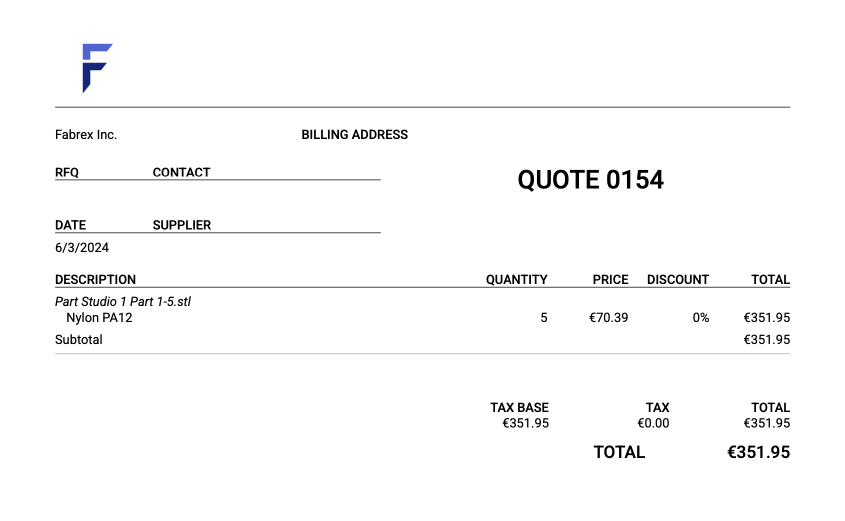
View screenshot Generate PDF quote summaries and invoices, and keep payment status alongside the customer’s order.
 View screenshot
 Keep orders and payments together so your team can follow the commercial side of the work.
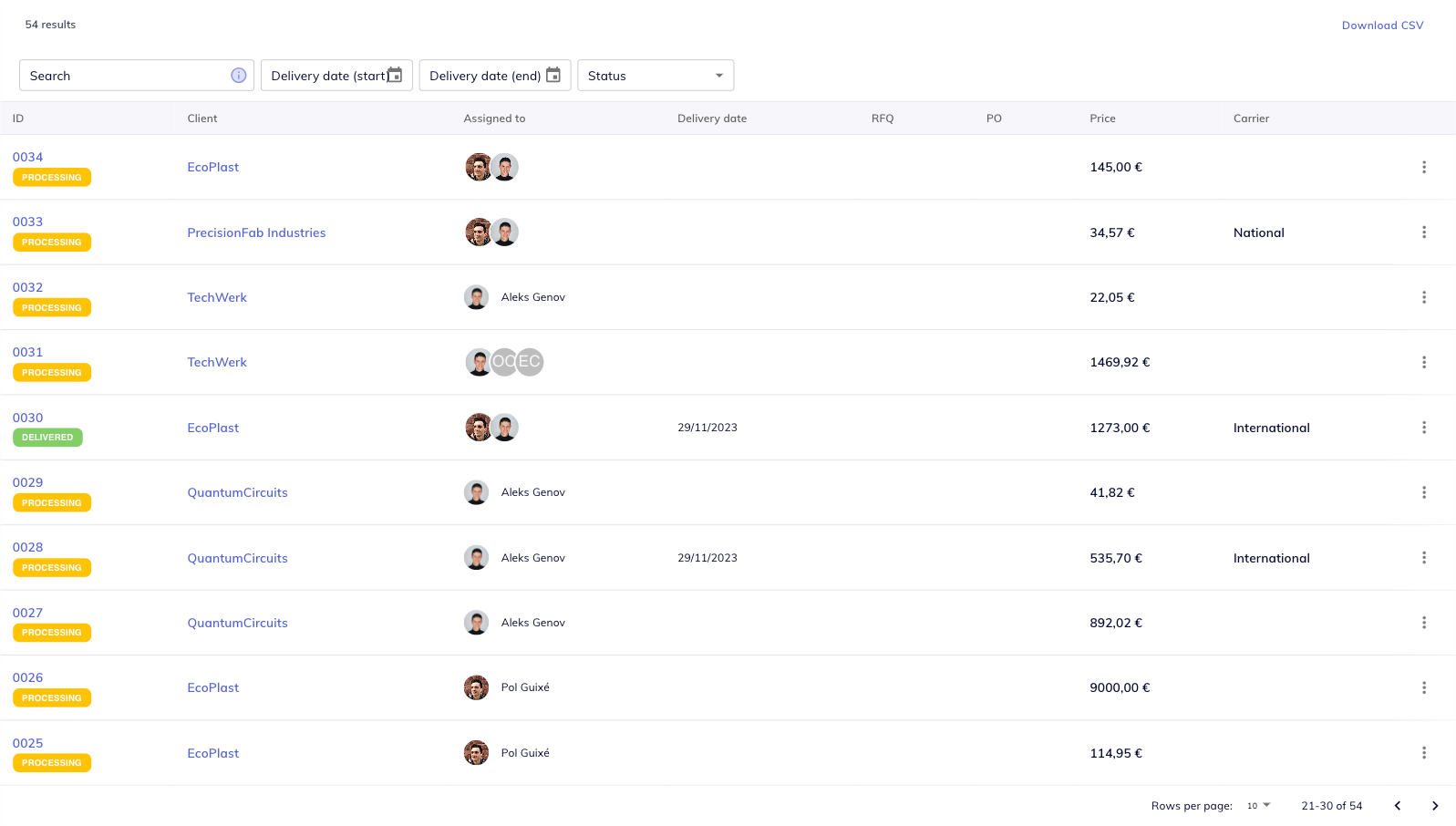 View screenshot
 Configure payment accounts and methods for the departments and workflows that need them.
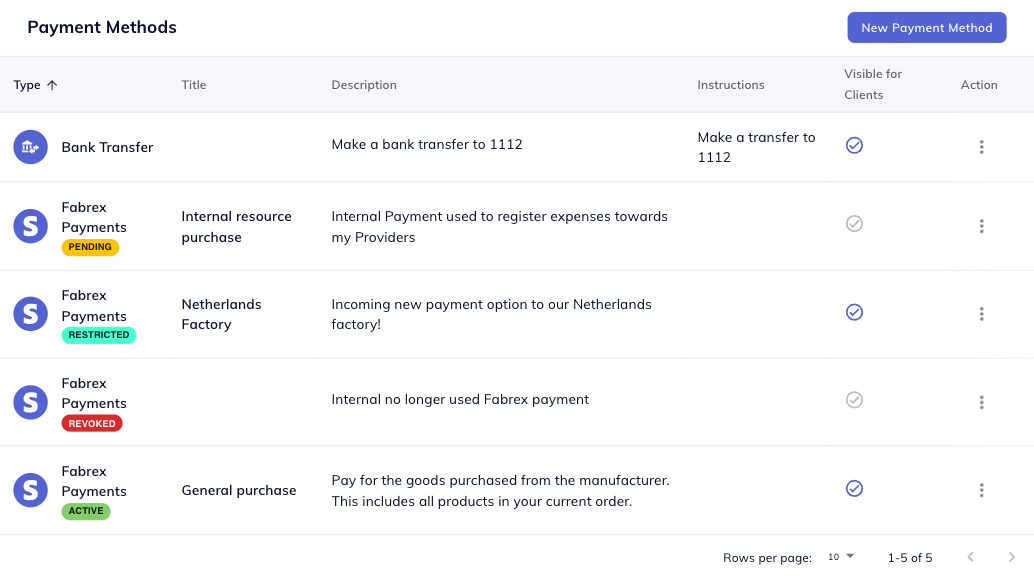 View screenshot
 Fabrex uses Stripe for payment processing. Available methods, payout timing, and account setup depend on your configuration and eligibility.
Review the Fabrex Payments fee structure in our terms, alongside Stripe’s processing fees. The Fabrex team can walk through your account and the options relevant to your customers.
Read payment termsOpen the Payments section in your Fabrex account. Register your payment account and configure its methods, or ask the team to guide you through setup.
Fabrex’s published offering includes PDF quote summaries, PDF and digital invoices, and payment-status tracking.
Fabrex supports multiple payment accounts, with payment methods configured for their departments or needs.
Review your Fabrex account settings and the Payments section of the terms. Ask the Fabrex team to confirm the current fees, method availability, and payout options for your account.
See how Fabrex Payments fits your quote-to-order workflow.