Smarter Quoting, Flexible Data & Faster Workflows
Release notes
Release notes
v0.6.0 Smarter Quoting, Flexible Data & Faster Workflows
Added
- Comments on Quotes and Orders
- Metafields (custom fields) across all major entities
- Metaobjects for structured custom data
- Overhang metrics for quoting calculations
- Option to skip Quality Control in batches
- Public customer portal password reset
Improved
- Quoting accuracy with support-aware metrics
- Platform flexibility with external data integration
- Configuration UX with drag & drop sorting
Fixed
- Minor issues in public customer portal
Smarter Quoting, Flexible Data & Faster Workflows
A major step forward in customization, collaboration, and quoting accuracy. This release introduces structured comments, powerful custom fields, overhang-aware pricing, and faster configuration with drag & drop.
Quote & Order Comments
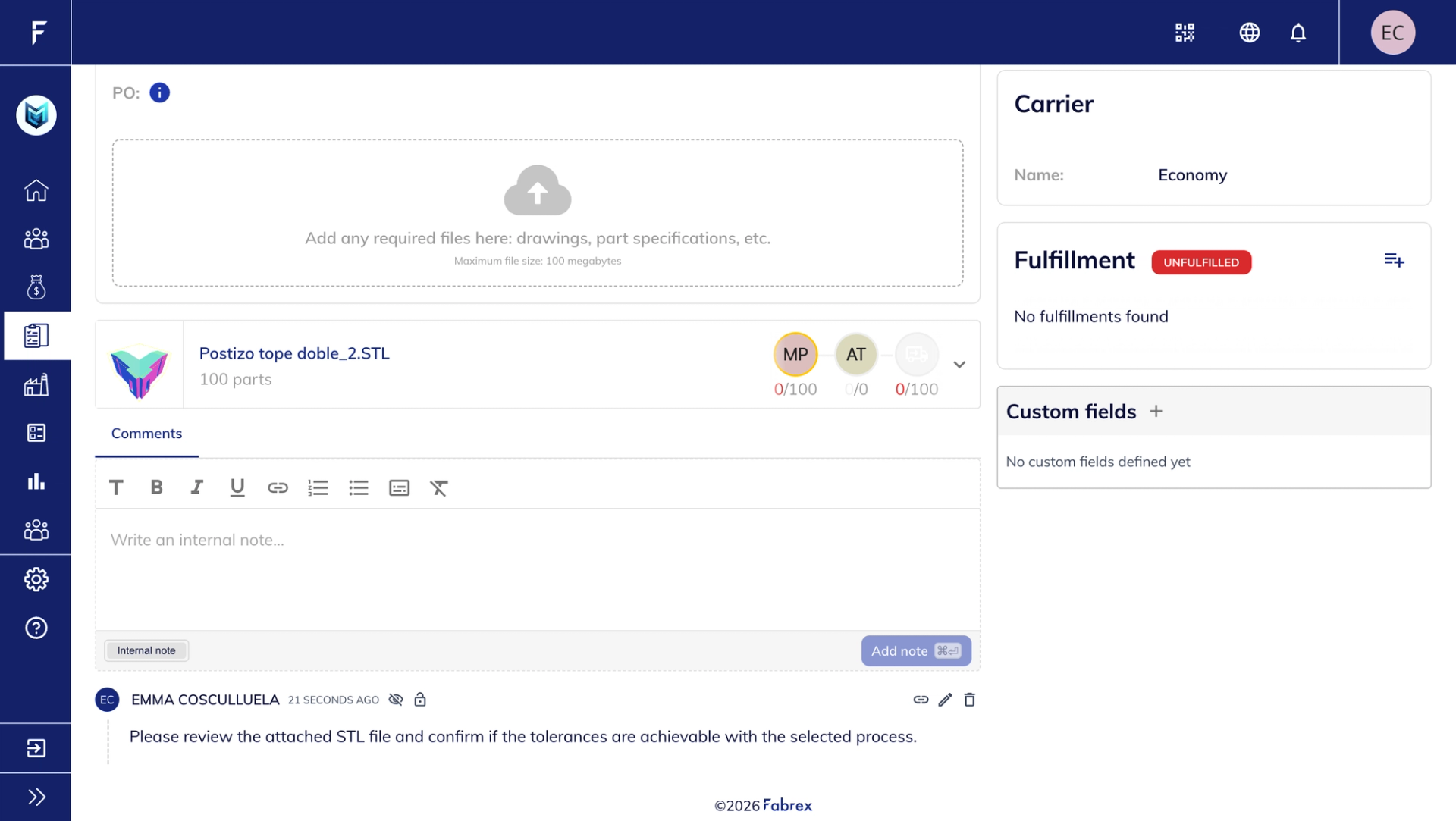
What’s new
- Internal comments on Orders
- Internal and public comments on Quotes (supplier ↔ client)
- Clear comment history with authors and timestamps
- Rich text editor for better formatting
Why it matters
Centralize all communication in one place — both internal discussions and client-facing conversations — reducing back-and-forth across tools and improving visibility for everyone involved.
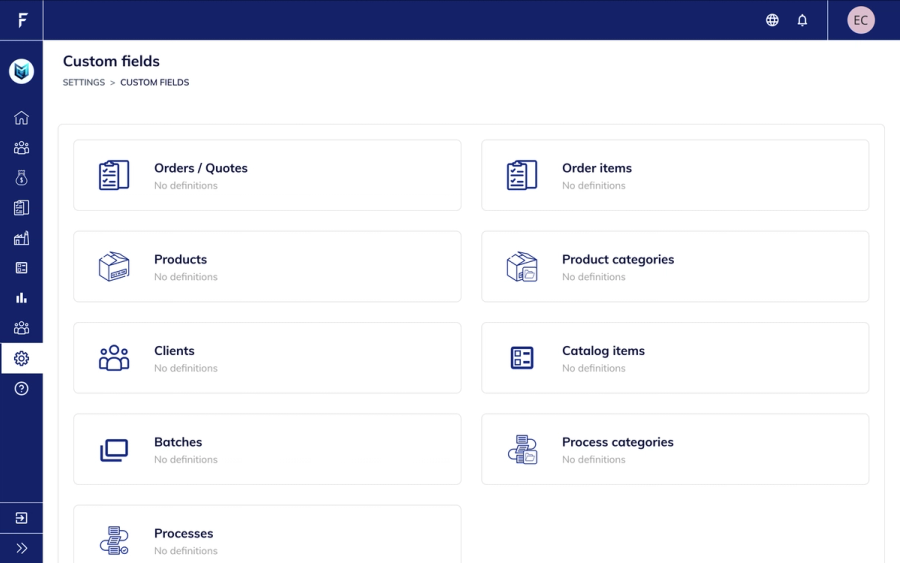
Metafields & Metaobjects
Metafields and Metaobjects introduce a flexible data layer across Fabrex.
You can define custom fields in Settings and use them across entities like Quotes, Products, Clients, and Processes. This allows you to store structured, business-specific data directly in the platform.
It also enables external integrations via API — syncing data from ERP, CRM, or other systems.
Highlights include:
- Custom fields across all entities
- Store data like client codes, ERP IDs, locations
- API-ready for external integrations
- Adapt Fabrex to your internal workflows
Overhang Metrics for Quoting
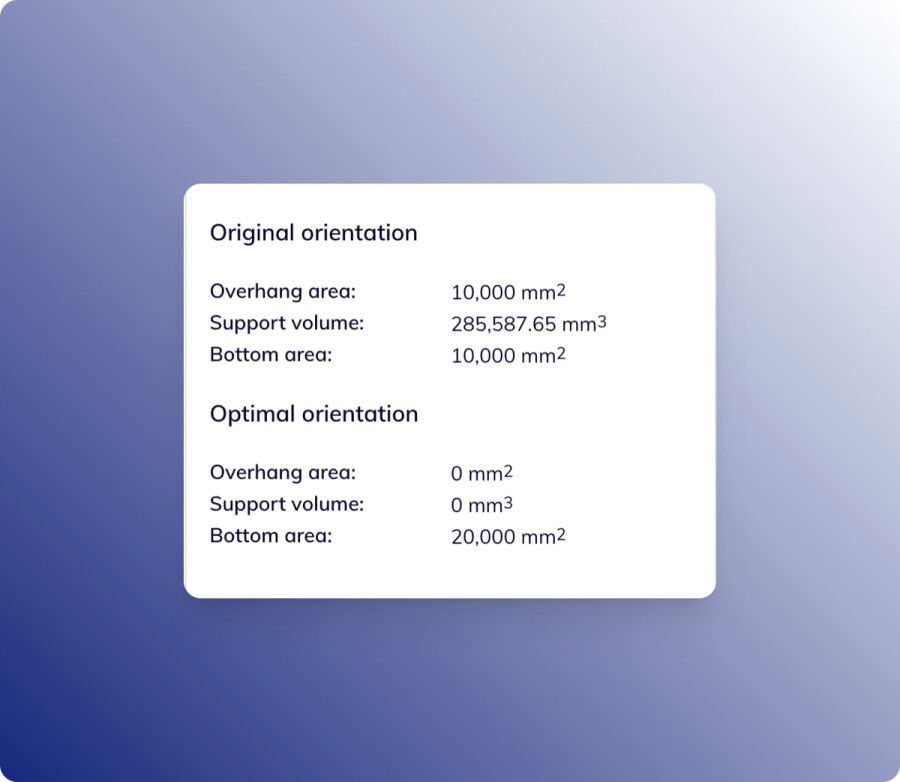
Overhang Metrics improve pricing accuracy for 3D printing.
An overhang is any geometry that extends without support. These areas often require support structures, increasing material usage and print time.
With new variables in Process → Quoting → Metrics, you can now account for this directly in your pricing.
For example, a part with 400 volume may require 450 actual material due to supports.
Highlights include:
- Overhang area and support volume metrics
- Orientation-aware calculations
- Use directly in quoting formulas
- More accurate cost estimation
Drag & Drop Sorting
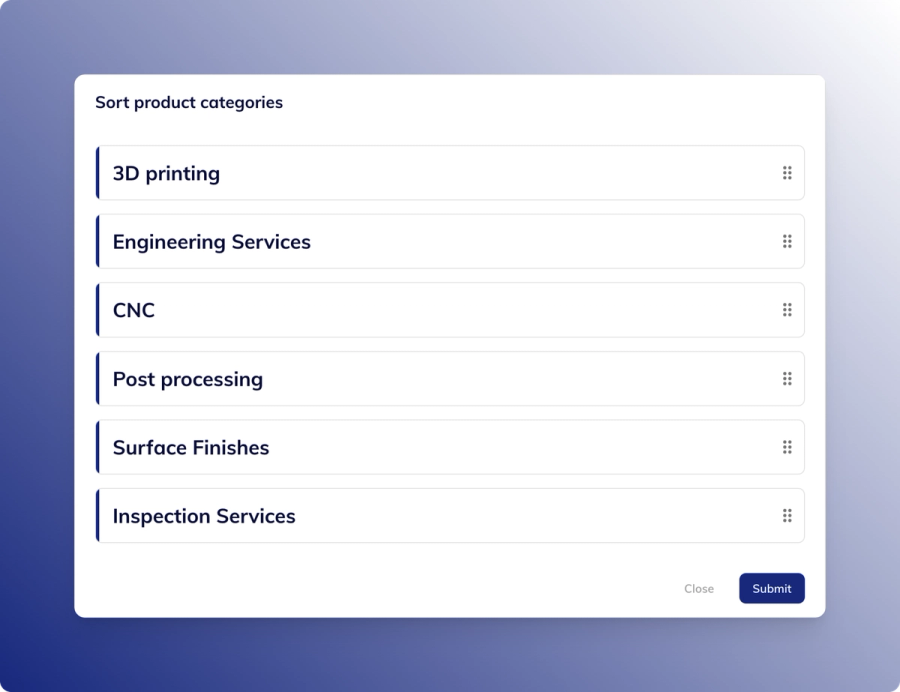
Drag & Drop Sorting makes configuration faster and more intuitive.
You can reorder product categories, process categories, and processes visually, without manual controls.
Changes are immediate, helping you keep configurations clean and organized.
Highlights include:
- Drag & drop reordering
- Works across categories and processes
- Instant visual updates
- Faster setup and management