Review the RFQ
Extract requirements from drawings and customer documents, and flag missing information for an engineer.
 Book a demo
 Try feature identification on preloaded CNC parts. Inspect pockets, holes, and recessed details, then explore how that understanding can support quoting and process planning.
Proposed workflow · explore the scope with Fabrex.
Discuss your workflowSelect a feature to inspect the recognized geometry
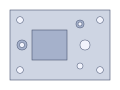
Loading 3D sample…
100 × 70 × 18 mm
Detected in saved analysis
A recessed floor enclosed by walls. The floor and walls are recognized together.
Preloaded samples · Saved Fabrex tools analysis. Explore the feature demo
Drawings, tolerances, machine availability, and delivery dates need to align before the first cut.
Build around your process, with the right information for each stakeholder.
Extract requirements from drawings and customer documents, and flag missing information for an engineer.
Draft a job route using your process knowledge, setup requirements, and available capacity.
Connect inspection records and job status so teams can investigate issues with the right context.
An illustrative job. See the information and decisions each team carries into the next handoff.
Engineering reviews the drawing and confirms the requirements with sales.
Planning connects setup requirements, operations, and the job owner.
Quality keeps the inspection record and any exception attached to the job.
Workflow illustration · sample data · human review at each handoff
Drawing revisions, stock material, tolerances, missing requirements, and quoting decisions.
Setups, operations, available machine context, and the next responsible person.
Drawing requirements, dimensional checks, exceptions, and release decisions.
The feature demo uses saved recognition results from Fabrex’s engineering tools. Review detected features and candidates before manufacturing. The wider quoting, routing, and inspection workflow is proposed; confirm its scope with Fabrex.
Start with the work that slows your team down. Explore what Rex and custom apps can do for it.