Smarter Resources & Configurable Product Dependencies
Release notes
Release notes
v0.6.3 Smarter Resources & Configurable Product Dependencies
Added
- Resource hierarchies and inheritance
- Custom specifications for resources
- Resource cost & price tracking
- Product Dependencies
- Multiple dependency configurations
- Open / Strict compatibility modes
Improved
- Resources user experience
- Manufacturing catalog management
- Compatibility rule configuration
Enabled
- Material-specific workflow restrictions
- Guided product configuration
- Advanced manufacturing compatibility rules
v0.6.3 — Smarter Resources &
Configurable Product Dependencies
A redesigned resource management experience and a new dependency engine that helps you model manufacturing rules, material compatibility, and workflow restrictions.
Smarter Resource Hierarchies
Materials and machines can now be organized in parent-child hierarchies.
Create reusable resource families, inherit specifications, and keep your manufacturing catalog structured as it grows.
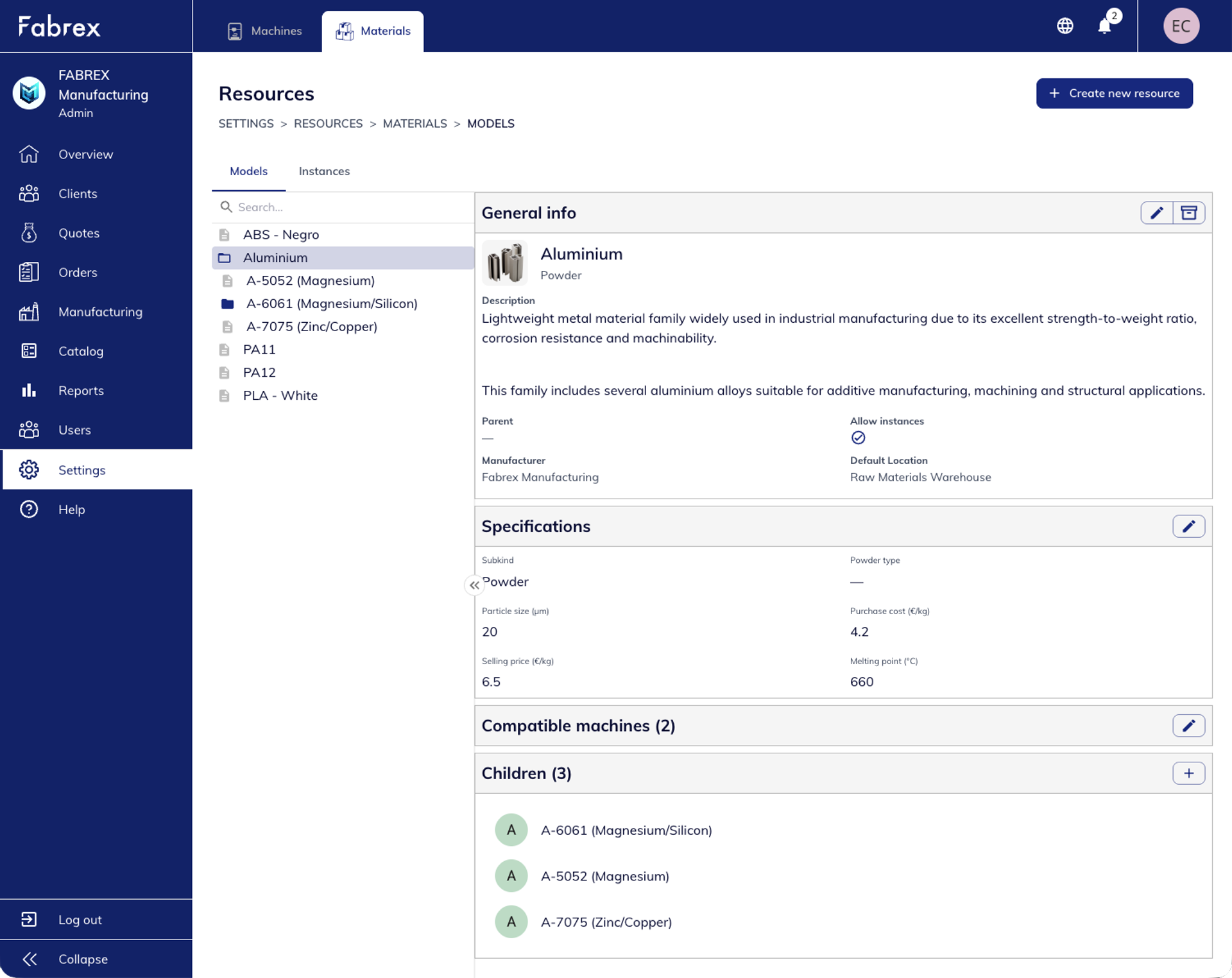
Examples:
- Aluminium → A-6061 → Rod
- Material families with shared specifications
- Reduced duplication through inheritance
Why it matters
- Easier catalog management
- Consistent specifications across variants
- Better representation of real manufacturing structures
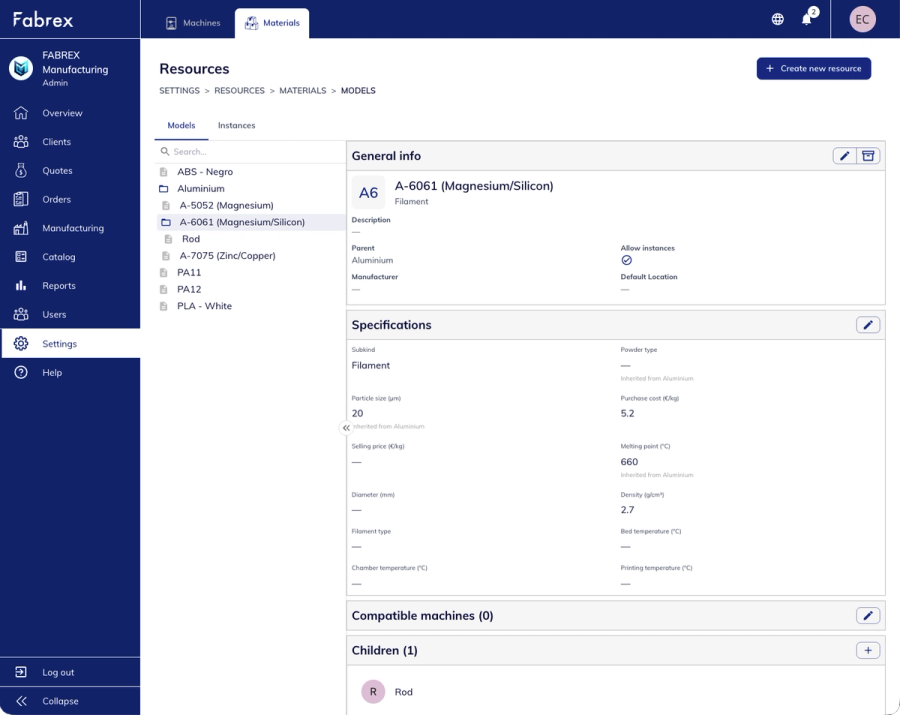
Custom Specifications
& Cost Tracking
Resources now support customizable specifications, including manufacturing parameters, costs, and pricing information.
Whether you're tracking particle size, density, raw material costs, or selling prices, all information can be stored directly on the resource.
Highlights
- Custom resource attributes
- Purchase cost and selling price fields
- Foundation for future formula-based quoting
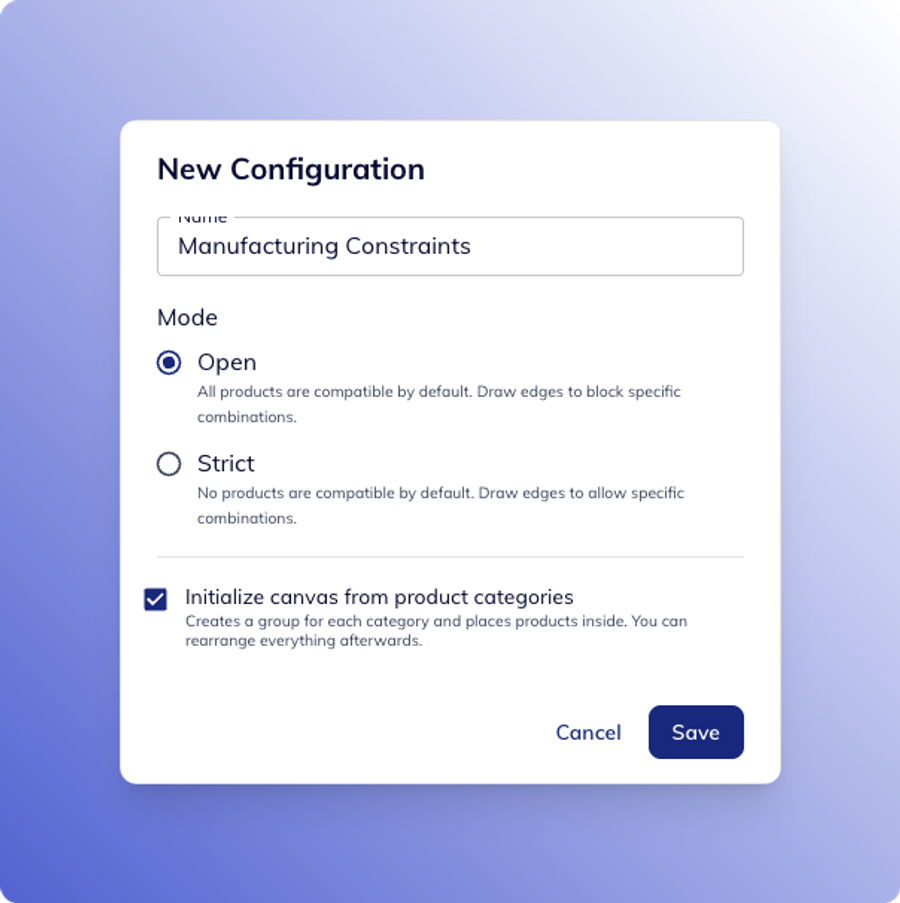
Product Dependencies
Define which products, services, and manufacturing processes can work together using configurable dependency rules.
Create multiple configurations and switch between them whenever needed.
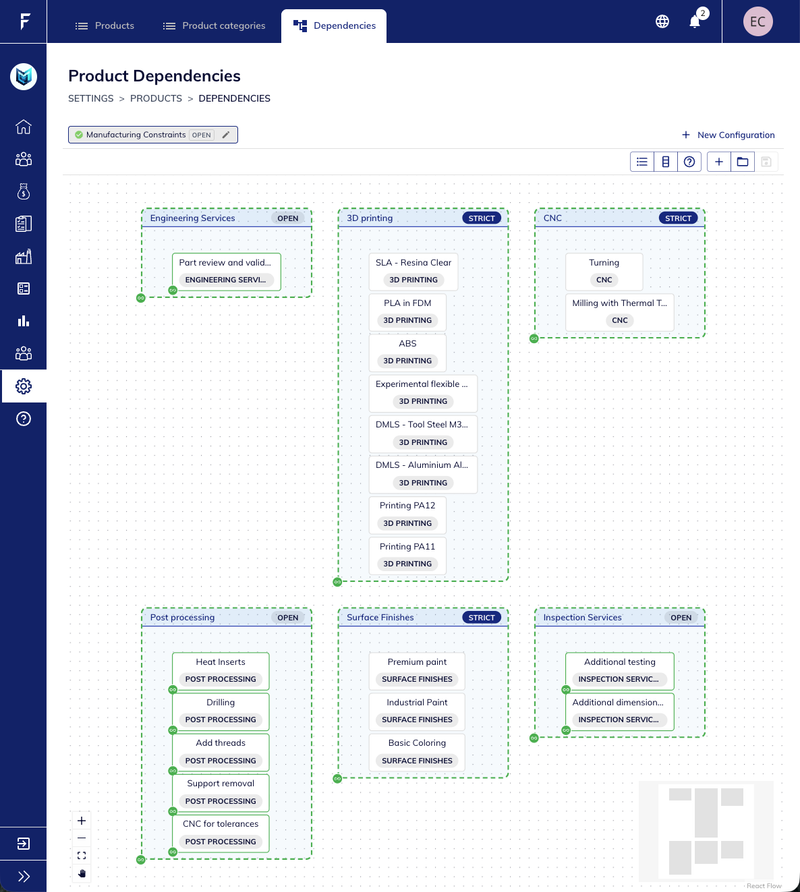
Open Mode
Everything is compatible by default. Block only the combinations you want to prevent.
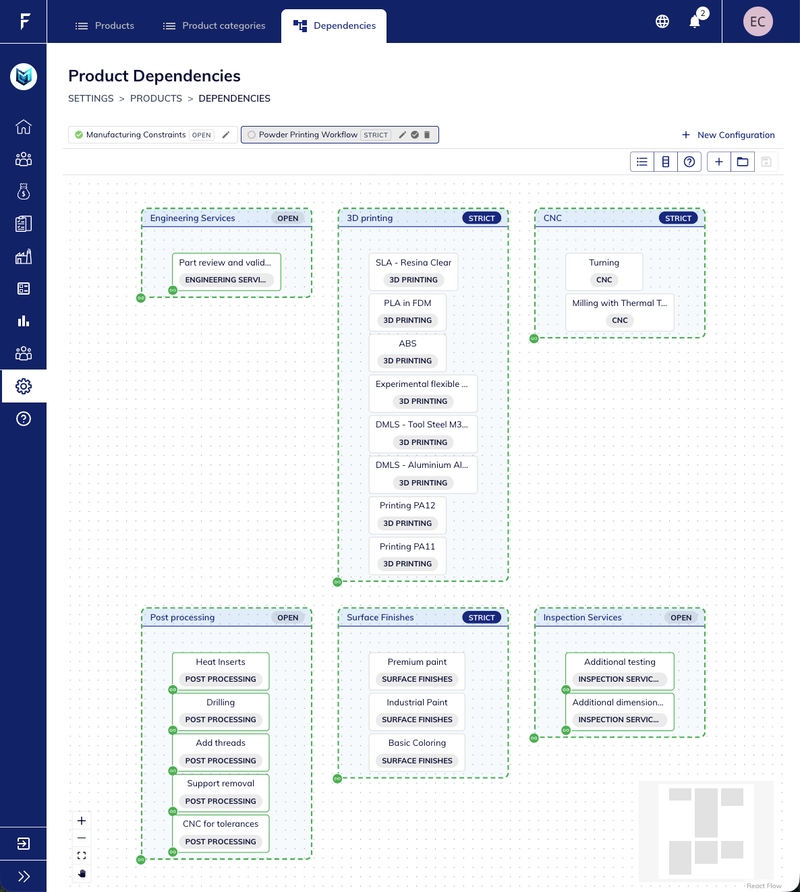
Strict Mode
Nothing is compatible by default. Explicitly enable supported combinations.
This makes it easy to model real manufacturing constraints while keeping product configuration under control.
Manufacturing Rules
Made Simple
Use dependencies to guide customers and internal teams toward valid manufacturing combinations.
Examples:
- Enable Sandblasting only for PA11 and PA12 powder printing
- Hide CNC services for incompatible powder-based workflows
- Reveal post-processing options only when applicable
This helps prevent invalid selections and creates a more guided quoting experience.