Smarter Resources, Dependency Rules & Formula Transparency
Release notes
Release notes
v0.7.0 Smarter Resources, Dependency Rules & Formula Transparency
Added
- Resource hierarchies for materials and machines
- Specification inheritance across resources
- Custom specifications on resources
- Resource cost & selling price tracking
- Product Dependencies configurations
- Open / Strict compatibility modes
- Quote item price breakdown modal
- Formula choice inputs with optional defaults
- OAuth2 / OIDC authentication support
- Customer data available in Quote & Order PDFs
- Metafields available in the Public API
Improved
- Formula editor performance
- Quotable item viewer and file loading
- Process input visibility controls
- Navigation protection for unsaved form changes
- Formula handling of choice-based inputs
Fixed
- Metafields form issues
- Input variables conflicting with formula function names
- File-type input handling for 3D models
- Infinite loading when creating quotes in the Public Portal
- Carrier taxes not being automatically applied
- Various stability and usability improvements
v0.7.0 — Smarter Resources, Dependency
Rules & Formula Transparency
This release introduces a major upgrade to resource management, a new dependency engine for manufacturing workflows, and several improvements to quoting transparency, formulas, and platform integrations.
Smarter Resource Hierarchies
Materials and machines can now be organized in parent-child hierarchies.
Create reusable resource families, inherit specifications, and keep your manufacturing catalog structured as it grows.
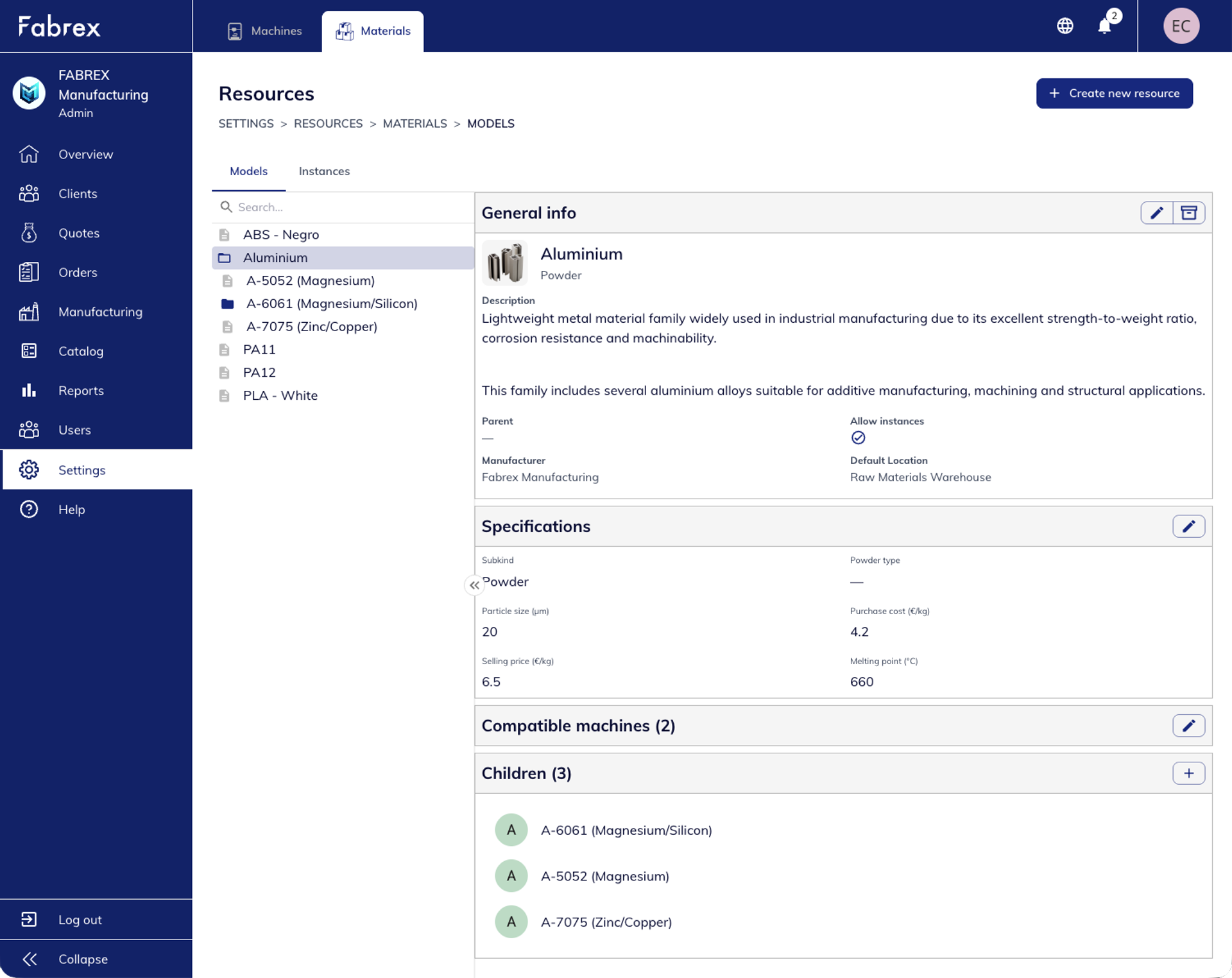
Examples:
- Aluminium → A-6061 → Rod
- Material families with shared specifications
- Reduced duplication through inheritance
Why it matters
- Easier catalog management
- Consistent specifications across variants
- Better representation of real manufacturing structures
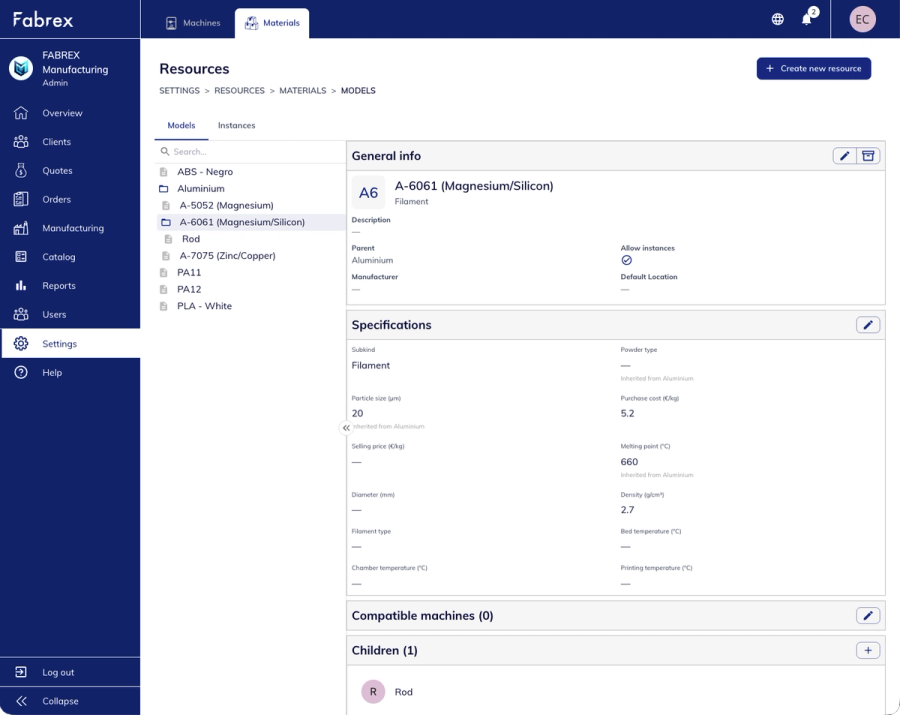
Custom Specifications
& Cost Tracking
Resources now support customizable specifications, including manufacturing parameters, costs, and pricing information.
Whether you're tracking particle size, density, raw material costs, or selling prices, all information can be stored directly on the resource.
Highlights
- Custom resource attributes
- Purchase cost and selling price fields
- Foundation for future formula-based quoting
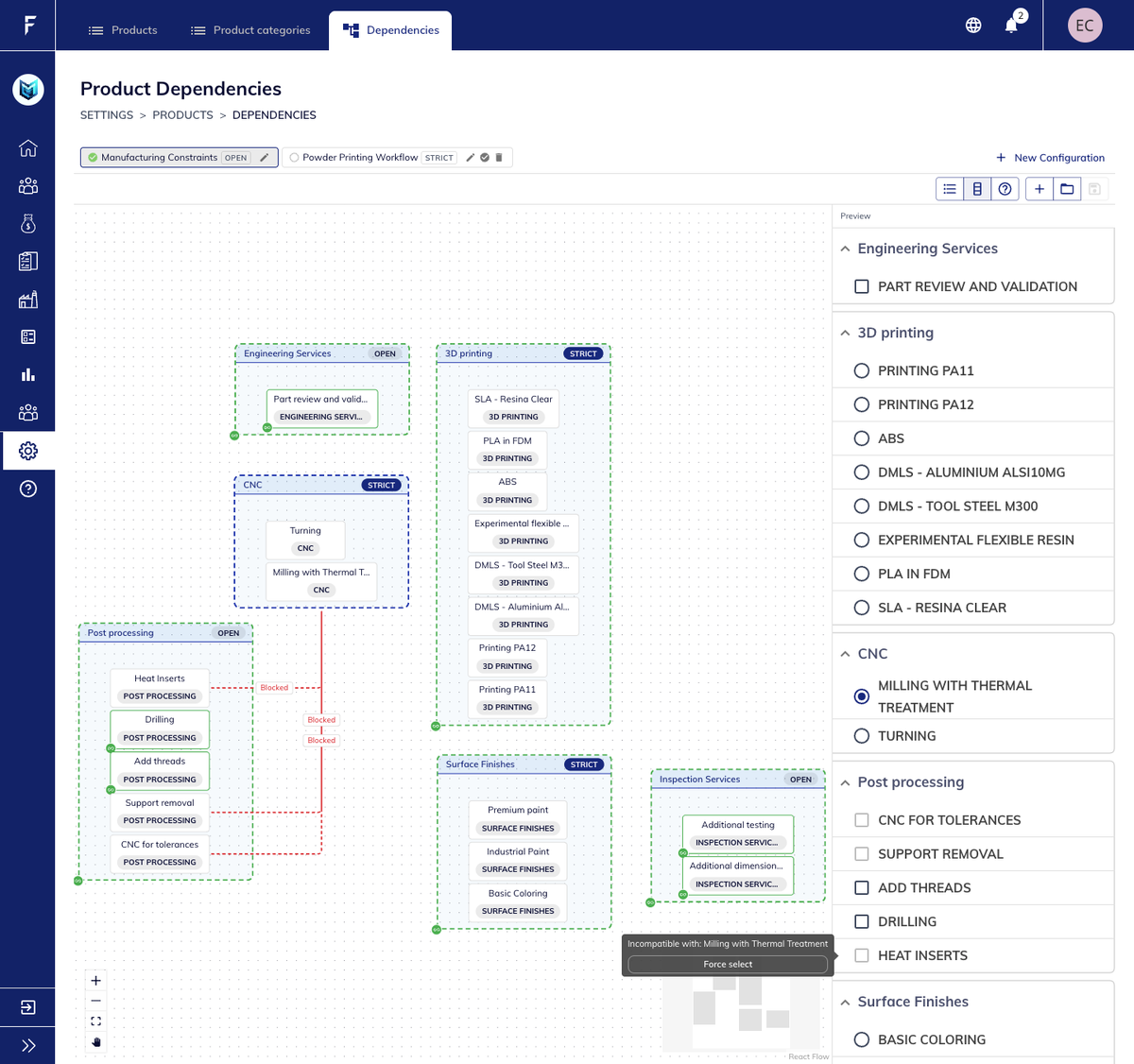
Product Dependencies
Define compatibility rules between products, services, materials, and manufacturing processes.
Create multiple dependency configurations and switch between them depending on your workflow, facility, or manufacturing requirements.
Manufacturing Rules
Made Simple
Create multiple dependency configurations and tailor compatibility rules to different manufacturing workflows.
Examples include:
- Powder printing workflows
- Facility-specific constraints
- Customer-specific manufacturing rules
- Process-specific product availability
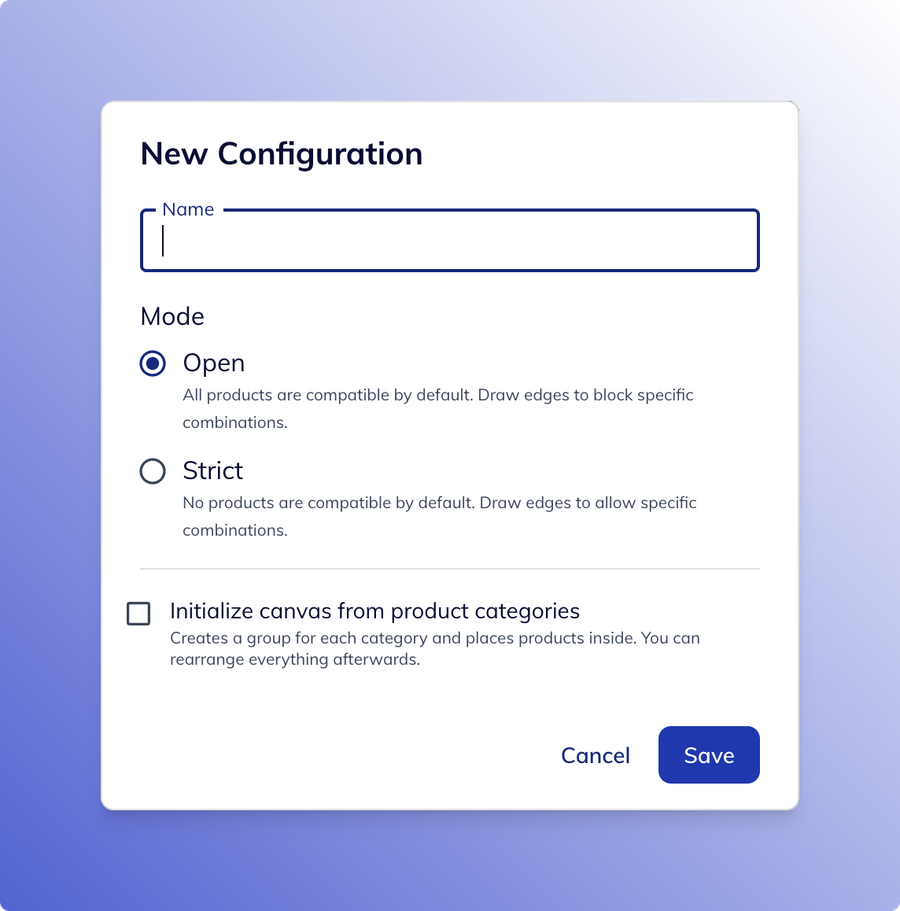
Choose between Open and Strict mode depending on how much control you need over product compatibility.
Open Mode
Everything is compatible by default. Only incompatible combinations need to be blocked.
This approach is ideal when most products can work together and only a small number of restrictions must be enforced.
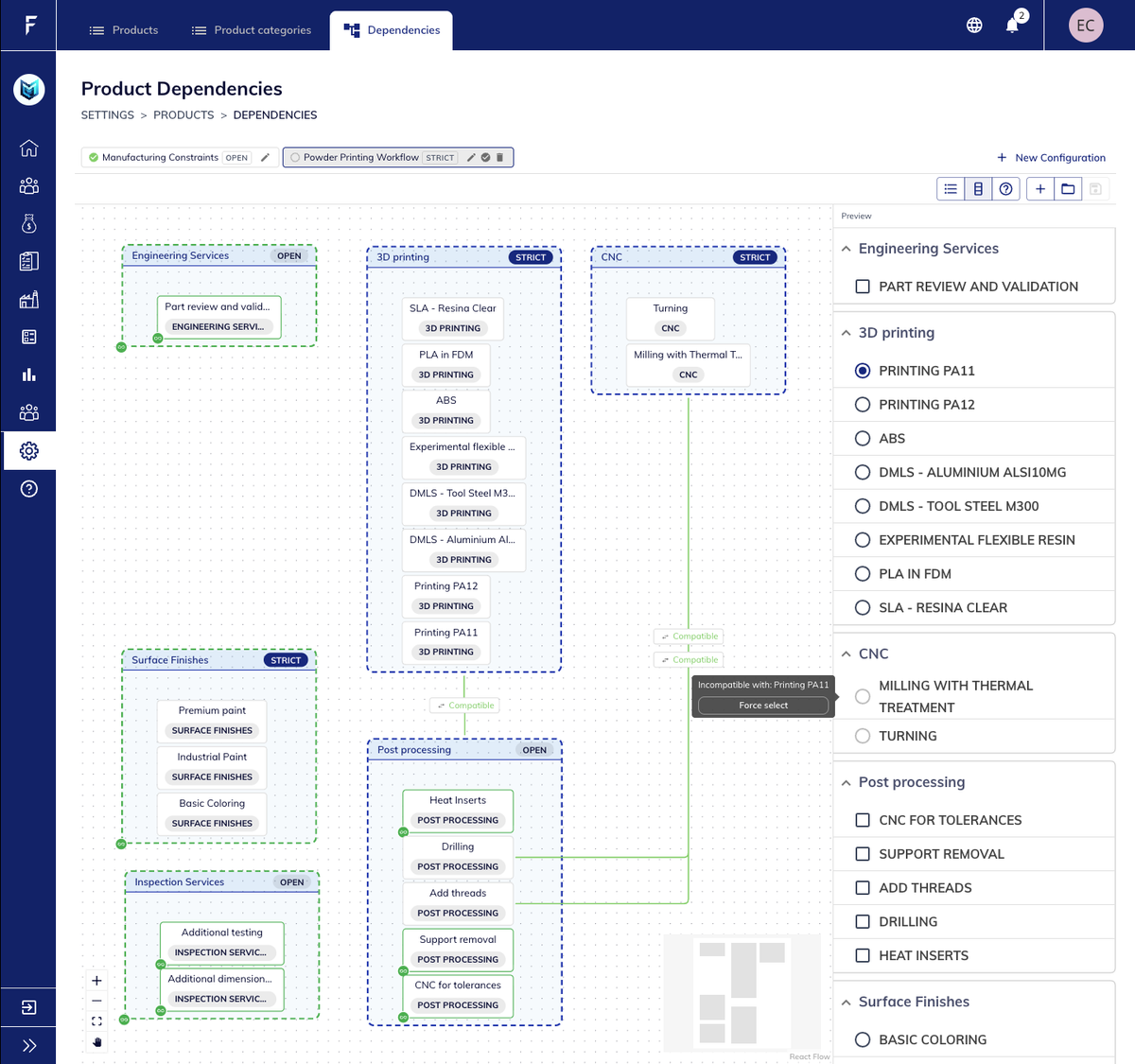
Strict Mode
Nothing is compatible by default. Relationships must be explicitly enabled before they become available.
This approach provides maximum control and is particularly useful for highly regulated or process-specific manufacturing workflows.
Understand How Prices Are Calculated
Quoted items now include a detailed price breakdown view.
A new breakdown modal makes it possible to inspect exactly how a final price was generated.
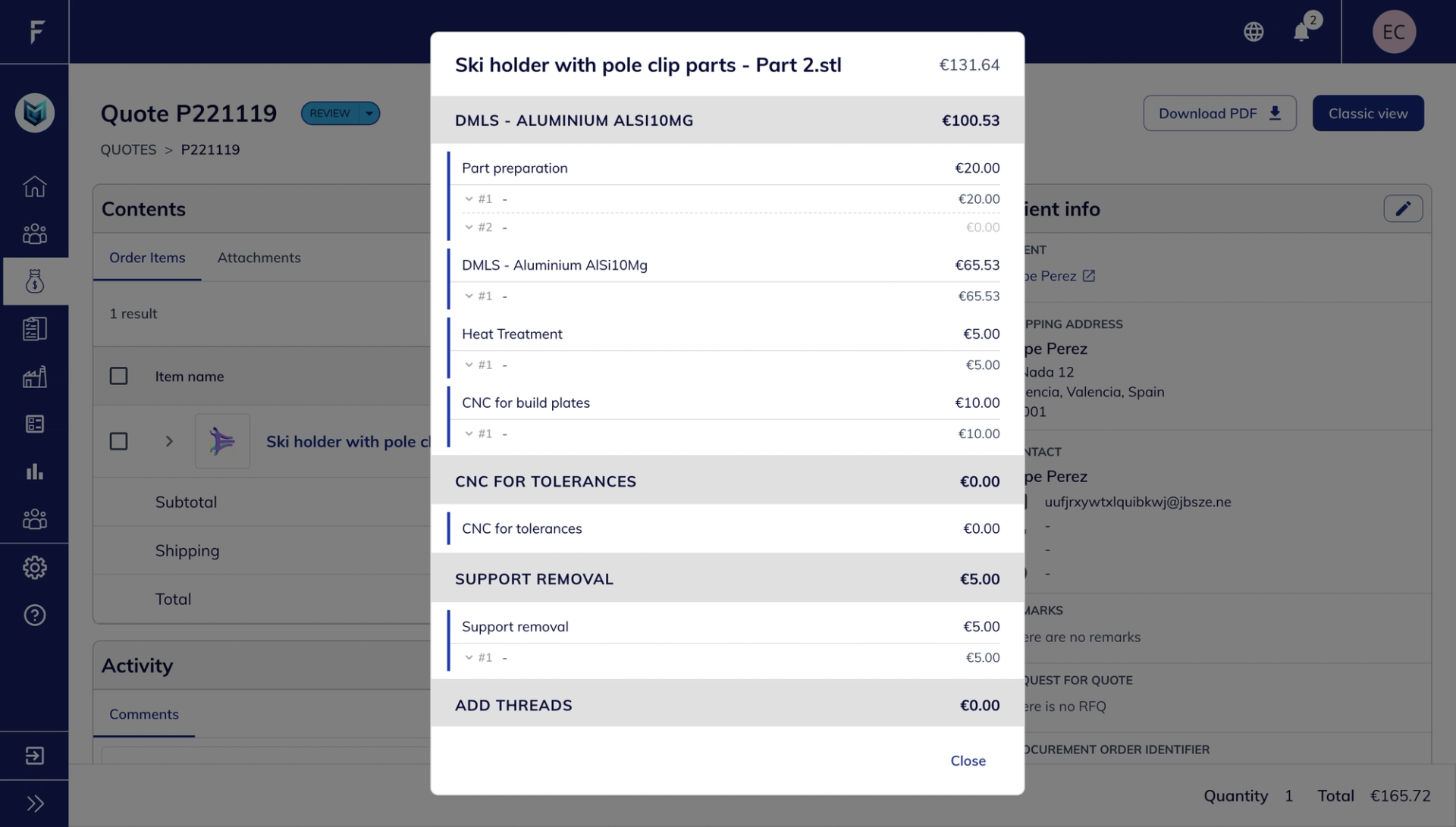
Users can review:
- Formula calculations
- Variables and values
- Applied conditions
- Intermediate results
- Final pricing output
Why it matters
This provides greater transparency when validating quotes and troubleshooting pricing rules.
Input Choices in Formulas
Formula inputs can now use selectable choices.
For example, an Infill input can offer:
- 15%
- 40%
and those values can be referenced directly inside formulas.
Optional default values can also be configured to simplify product setup.
OAuth2 & OpenID Connect (OIDC)
Fabrex now runs on a single, industry-standard sign-in system — the same foundation used by the platforms you already trust.
- Connect with Fabrex — let trusted apps work on your behalf, without sharing your password
- You decide what each app can access, on a clear consent
- Safer sessions: secure background refresh, inactivity timeout, theft protection — all automatic
- Per-device sign-in — sign out on one device, stay signed in on one device, stay signed in on others
- Connect AI assistants securely, with the same permission controls
- Ready for Single Sign-On ("Sign in with Google / Microsoft") soon